
How to Watch Portuguese TV on Apple Devices (Step-by-Step Guide)
Watching Portuguese TV on your Apple devices has never been easier. Whether you’re living in Portugal, Canada, USA or abroad, IPTV lets you stream your favourite channels, sports, and shows directly on your iPhone, iPad, or Mac.
In this guide, we will give you step-by-step exactly how to install and watch Portuguese IPTV on any of your Apple devices using the SPOTV app.
What You Need Before You Start
At the time of writing, the SPOTV app can only be installed on Apple devices such as your iPhone, iPad, or MacBook. Once the developer has released the app for Android devices, we will update this section with a link to install the app on Android.
Before installing IPTV on your Apple device, make sure you have:
- A stable internet connection (minimum 15 Mbps recommended)
- An active IPTV subscription (from an IPTV provider like us here at Portugal-Televisao)
- Your login credentials (username, password, or playlist URL – Given to you from your provider)
- And of course, an Apple device (iPhone, iPad, or Mac)
Why Use IPTV?
IPTV (Internet Protocol Television) allows you to watch live TV, movies, and on-demand content through the internet instead of traditional cable or satellite.
Unlike outdated TV services, IPTV gives you instant access to Portuguese and international channels, flexible viewing on any device, & on-demand content anytime.
Apple devices are ideal for IPTV streaming because they offer:
- Smooth performance and high-quality displays
- Secure apple app via the App Store
- Super easy setup (only 1 code) and user-friendly interface
- Compatibility with HD and 4K streaming
How to Install SPOTV and Watch Portuguese IPTV
Part 1: Installing SPOTV
SPOTV is an exclusive app created by the team at Portuguese-Televisao to work with our servers and streaming programs. SPOTV is the official recommended streaming app for Portugal-Televisao. Watch SPOTV anywhere with our official mobile app for all Apple devices.
The SPOTV app is available for all Apple devices running iOS, iPadOS, macOS, tvOS and visionOS version 17.4 or higher. Android is in development and coming soon. You can download the app using the link below.
Install the SPOTV app
Part 2: Connecting SPOTV App to IPTV Service Provider
1. Now that you have the SPOTV app downloaded on your Apple device, launch the app.
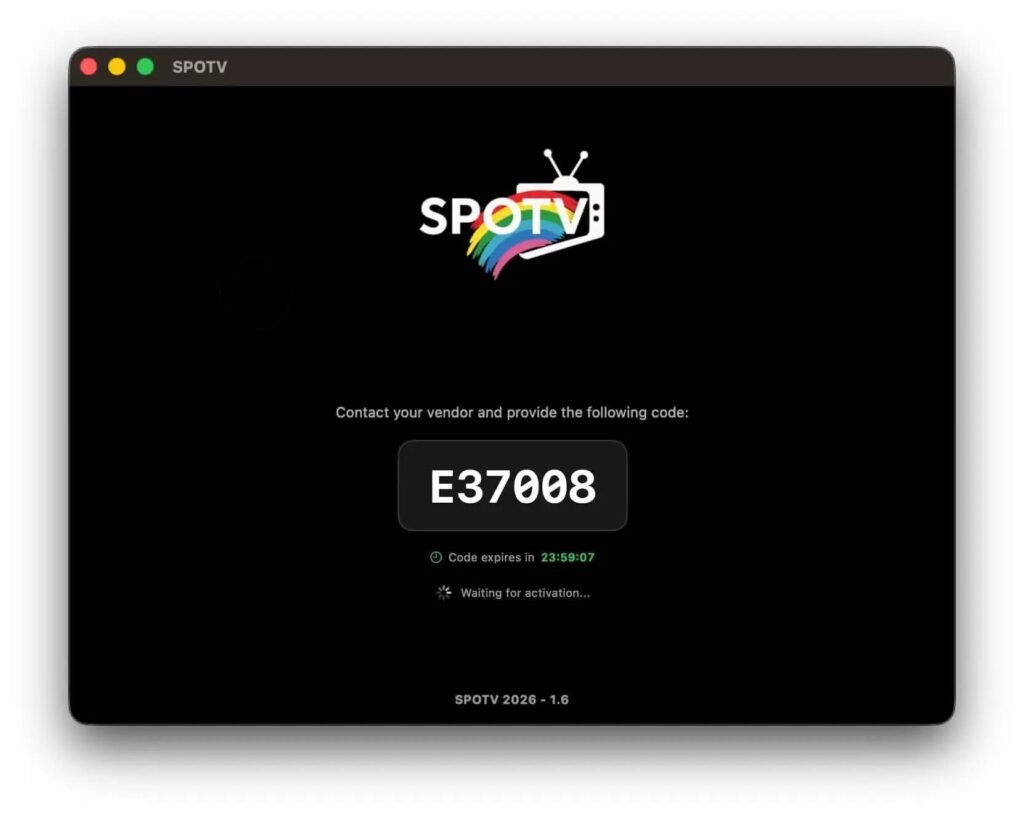
2. You should be taken to the login screen where a code with 1 letter and 5 numbers will be displayed.
3. This code is valid for 24 hours before it refreshes and must be sent to us. (Contact us) We will need you to keep your screen open as we activate your account on our end.
Note: The code below is for demonstration purposes and will not be the same as yours. It is randomly generated.
Part 3: Payment to Activate Account
1. E-mail your first and last name, your login code, and the number of months you would like to start with your plan to us (Contact us here.)
2. You can pick the number of months you want to start with below and the associated pricing. No matter which option you choose, Portugal IPTV has no contracts and no monthly obligations!
1 Month
- Portuguese Channels
- International Channels
- Full Channels in SD/HD
- Over 15,000 Channels
- VOD Movies & TV Shows
- Watch from any Device
- Quick & Easy Setup
3 Months
- Portuguese Channels
- International Channels
- Full Channels in SD/HD
- Over 15,000 Channels
- VOD Movies & TV Shows
- Watch from any Device
- Quick & Easy Setup
6 Months
- Portuguese Channels
- International Channels
- Full Channels in SD/HD
- Over 15,000 Channels
- VOD Movies & TV Shows
- Watch from any Device
- Quick & Easy Setup
12 Months
- Portuguese Channels
- International Channels
- Full Channels in SD/HD
- Over 15,000 Channels
- VOD Movies & TV Shows
- Watch from any Device
- Quick & Easy Setup
Part 4: Configuring SPOTV App & Activating IPTV
Once all your information has been sent to us, we will confirm with you and activate your account!
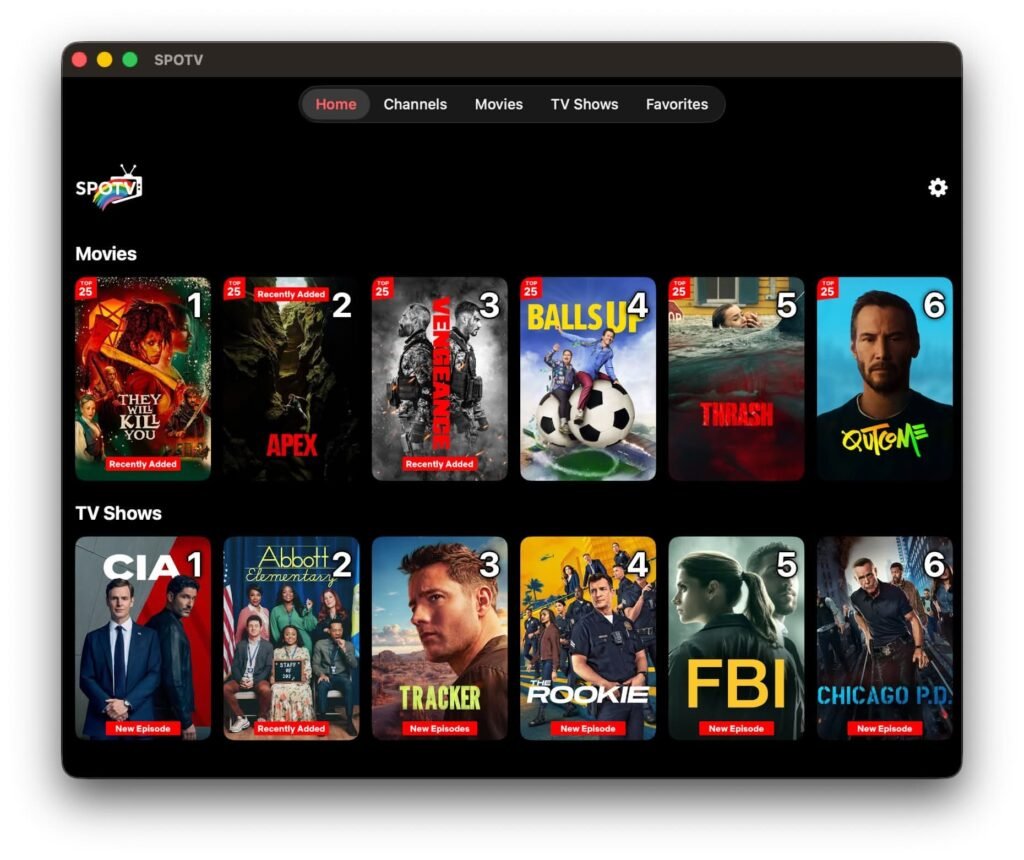
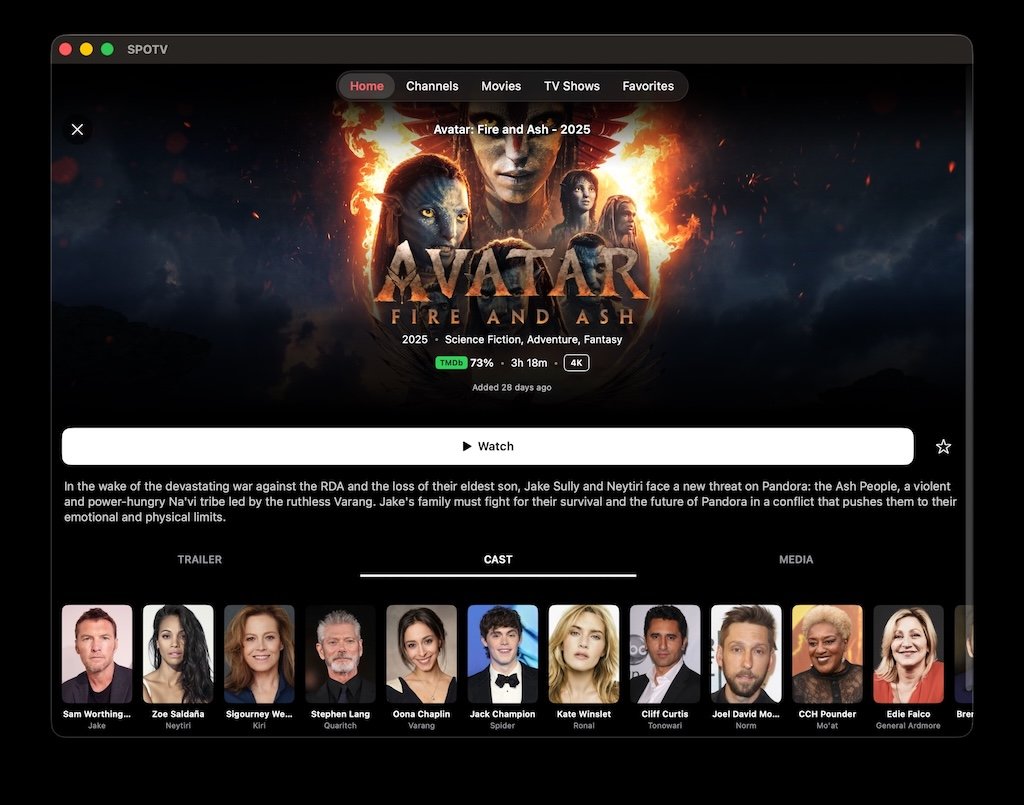
You should see your screen update and login immediately and you will be brought into the main menu of SPOTV. It should look similar to the image below.
Congratulations! You now have access to all of IPTV content which includes live Portuguese TV (and other countries), sports, movies, TV shows, news & more on demand. All on your apple device to be viewed at your convenience.
Frequently Asked Questions (FAQs)
Can I switch between my mobile device and my Android Box/Formuler Box?
While our service works with Amazon Firesticks, Android Boxes, and Formuler Boxes, our service was created to be compatible with FORMULER BOXES only. (You can purchase formular box on Amazon).
If you have a Formuler Box Z11 or newer with the included MYTVONLINE 3 app, you can switch between mobile and your TV subscription automatically, without having to buy another subscription.
Any other device, such as an Amazon Firestick, Android Box, or Formuler Box that’s older an Z10 using the MYTVONLINE version 2 app, you cannot use the same subscription and must get a separate subscription for each device.
Where do I watch movies and TV shows?
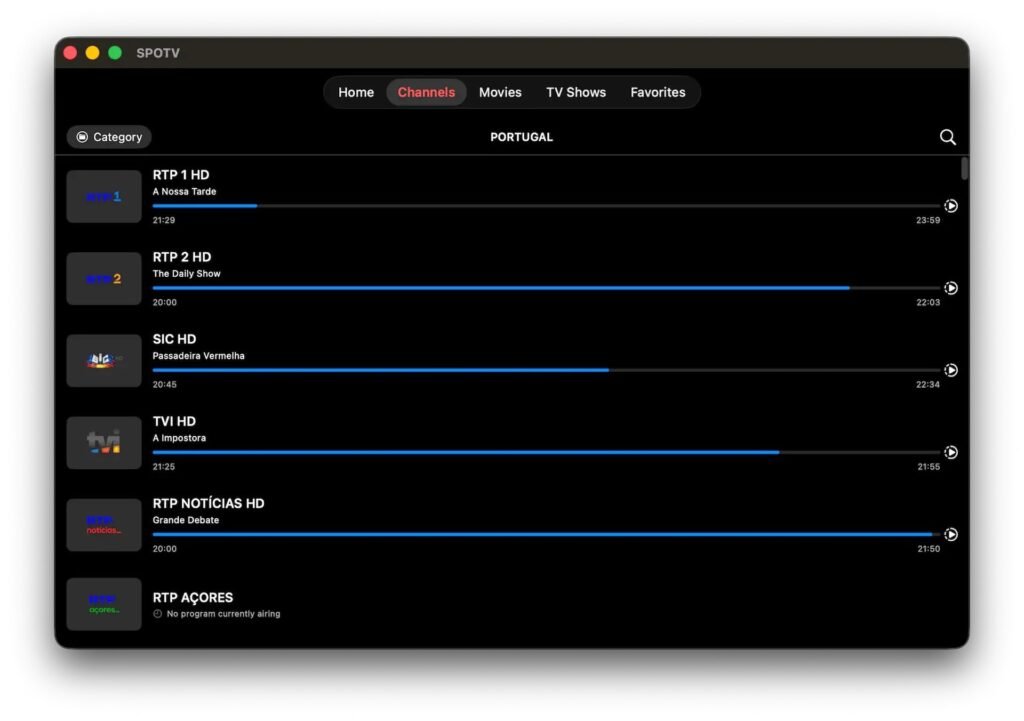
The menu bar at the top gives you access to movies and TV shows. Just click on the one you desire, and you can filter the shows and movies by genre, movie platform, year and more!
Is SPOTV available for Android?
At this time, SPOTV is only available for Apple devices. We are currently in development of an Android version, keep an eye on our website for updates.
Can I connect multiple Apple devices?
Yes, you can use the same account on multiple Apple devices. We will just need to reconnect it with a new code for every device. But you can only watch on one device at a time.
How many devices can I watch at once?
You can only watch on one device at a time. You must close the app on your iPhone for example before you can watch on your iPad or Apple TV and vice versa.
Is IPTV legal on Apple devices?
Keywords: #IPTV #SERVICE #PROVIDER #PROGRAMMING #STORE #SPORTS #SOCCER #PORTUGAL #PORTUGUESE #BENFICA #SPORTING #PORTO #CHANNELS #STORE #SHOP #BEST #FAST #CANADIAN #CANADA #TORONTO #VANCOUVER #BRAMPTON #WINDSOR #LEAMINGTON #ESSEX #KINGSVILLE #MISSISSAUGA #MARKHAM #BARRIE #HAMILTON #OSHAWA #WHITBY #MONTREAL #OTTAWA #VANCOUVER #EDMONTON #VICTORIA #CALGARY #WINNIPEG #BEST #FAST #CHEAP #PORTUGALIPTV #BESTPORTUGALIPTV #FASTPORTUGALIPTV #FORMULER #FORMULERBOX #MYTVONLINE #MOL2 #MOL3 #Z10 #Z11 #Z10PRO #Z10PROMAX #Z11PRO #Z11PROMAX Z#M3U #STALKER #XTREAM